Out-of-the-box Front integration

Out-of-the-box Front integration

Integrate your AI virtual agent with Front, centralize your communications and maintain 24/7 availability

Integrate your AI virtual agent with Front, centralize your communications and maintain 24/7 availability

front_integration
front_integration

No more endless queues, just satisfied customers!

No more endless queues, just satisfied customers!

With Moveo's native Front integration, over 90% of your customer support tasks will be fully automated and personalized

Improve your agents' efficiency

Improve your agents' efficiency

Automate over 90% of your inbound tickets and ensure smooth operations and superior customer service. Automatically tag and route conversations to the appropriate departments and equip your team with full conversation context, ensuring they can deliver personalized service at scale

front_moveo
front_moveo
front_moveo

Enrich your Front knowledge base with GenAI

Enrich your Front knowledge base with GenAI

Import your Front knowledge base and historical data to Moveo.AI and automate your most frequently asked questions

Instant resolutions & exceptional service at scale

Instant resolutions & exceptional service at scale

Eliminate data silos and enhance your tech stack with an AI customer service agent seamlessly embedded within your Front ecosystem. Empower your live agents by automating routing and tagging conversations
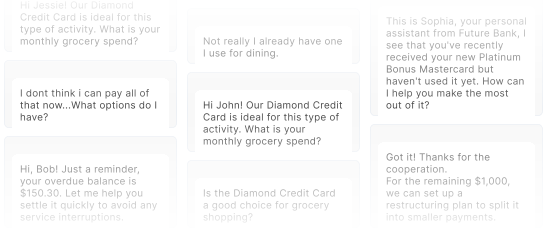
Omnichannel engagement

Centralize your conversations & achieve faster response times by empowering Moveo.AI to handle most of your interactions

Enhance efficiency

Your AI agent continuously learns from interactions, providing increasingly accurate customer support

Infinite scalability

Successfully handle peak periods and automate conversations with the help of your AI agent without the need for immediate human intervention

Improve efficiency for all stakeholders

Improve efficiency for all stakeholders

Customers

Provide 24/7 personalized support to your clients, wherever they are and in 100+ languages

CS teams

Resolve tickets faster and boost your team's productivity by allowing them to focus on impactful tasks

Enterprise

Serve your customers at faster rates while delivering exceptional CX and achieve revenue growth

Your Front integration is just a click away!

Visit our Documentation and explore how our Front integration works

FAQs

What is the main purpose of the Moveo.AI and Front AI integrations?

The primary goal of this Front integration is to elevate your Front shared inbox into an intelligent, 24/7 customer communication hub. The embedded AI Agent works alongside your human team to handle customer inquiries across multiple channels. This setup is designed to automate and personalize over 90% of customer support tasks, ensuring seamless operations.

What is the main purpose of the Moveo.AI and Front AI integrations?

The primary goal of this Front integration is to elevate your Front shared inbox into an intelligent, 24/7 customer communication hub. The embedded AI Agent works alongside your human team to handle customer inquiries across multiple channels. This setup is designed to automate and personalize over 90% of customer support tasks, ensuring seamless operations.

What is the main purpose of the Moveo.AI and Front AI integrations?

The primary goal of this Front integration is to elevate your Front shared inbox into an intelligent, 24/7 customer communication hub. The embedded AI Agent works alongside your human team to handle customer inquiries across multiple channels. This setup is designed to automate and personalize over 90% of customer support tasks, ensuring seamless operations.

How does the Moveo.AI Agent use Generative AI with Front AI's knowledge base?

Moveo.AI utilizes its proprietary Generative AI capabilities and Large Language Models (LLM) to ingest and utilize organizational data, including the organization's existing Front knowledge base and historical conversation data. By leveraging this verified content, the AI Agent can automate frequently asked questions and ensure its responses are accurate, reliable, and strictly grounded in company information, accelerating the automation process and enhancing the Front AI capabilities.

How does the Moveo.AI Agent use Generative AI with Front AI's knowledge base?

Moveo.AI utilizes its proprietary Generative AI capabilities and Large Language Models (LLM) to ingest and utilize organizational data, including the organization's existing Front knowledge base and historical conversation data. By leveraging this verified content, the AI Agent can automate frequently asked questions and ensure its responses are accurate, reliable, and strictly grounded in company information, accelerating the automation process and enhancing the Front AI capabilities.

How does the Moveo.AI Agent use Generative AI with Front AI's knowledge base?

Moveo.AI utilizes its proprietary Generative AI capabilities and Large Language Models (LLM) to ingest and utilize organizational data, including the organization's existing Front knowledge base and historical conversation data. By leveraging this verified content, the AI Agent can automate frequently asked questions and ensure its responses are accurate, reliable, and strictly grounded in company information, accelerating the automation process and enhancing the Front AI capabilities.

What are the two operational modes for the Moveo.AI Front integration, and what are the specific channel capabilities?

The integration provides two distinct operational modes, designed for strategic license management: System Mode (Recommended): The AI Agent operates as a separate system and does not consume a Front Teammate Seat. It supports most Front channels but explicitly excludes Intercom. Agent Mode: The AI Agent acts as a specified teammate and requires a Front Teammate Seat. This mode offers full channel support, including Intercom , and is preferred for identity-based workflows.

What are the two operational modes for the Moveo.AI Front integration, and what are the specific channel capabilities?

The integration provides two distinct operational modes, designed for strategic license management: System Mode (Recommended): The AI Agent operates as a separate system and does not consume a Front Teammate Seat. It supports most Front channels but explicitly excludes Intercom. Agent Mode: The AI Agent acts as a specified teammate and requires a Front Teammate Seat. This mode offers full channel support, including Intercom , and is preferred for identity-based workflows.

What are the two operational modes for the Moveo.AI Front integration, and what are the specific channel capabilities?

The integration provides two distinct operational modes, designed for strategic license management: System Mode (Recommended): The AI Agent operates as a separate system and does not consume a Front Teammate Seat. It supports most Front channels but explicitly excludes Intercom. Agent Mode: The AI Agent acts as a specified teammate and requires a Front Teammate Seat. This mode offers full channel support, including Intercom , and is preferred for identity-based workflows.

What are the prerequisites for setting up the Moveo.AI and Front integration?

To successfully set up the Front AI integrations, you must have an active Front workspace and, critically, possess the Company admin role in your Front account. This high-level access is required for both initial setup and for operating in Agent Mode. You also need to have configured inboxes for the channels you wish to automate and an active Moveo AI Agent.

What are the prerequisites for setting up the Moveo.AI and Front integration?

To successfully set up the Front AI integrations, you must have an active Front workspace and, critically, possess the Company admin role in your Front account. This high-level access is required for both initial setup and for operating in Agent Mode. You also need to have configured inboxes for the channels you wish to automate and an active Moveo AI Agent.

What are the prerequisites for setting up the Moveo.AI and Front integration?

To successfully set up the Front AI integrations, you must have an active Front workspace and, critically, possess the Company admin role in your Front account. This high-level access is required for both initial setup and for operating in Agent Mode. You also need to have configured inboxes for the channels you wish to automate and an active Moveo AI Agent.

How does the AI Agent hand over a conversation to a human agent within Front AI?

The handover protocol is dictated by the chosen operational mode. In System Mode, the AI adds the specific tag "Moveo Handover" to the conversation. In Agent Mode, the AI simply unassigns the conversation from itself. In both scenarios, the human agent receives full conversation context within the Front AI workspace for a seamless takeover.

How does the AI Agent hand over a conversation to a human agent within Front AI?

The handover protocol is dictated by the chosen operational mode. In System Mode, the AI adds the specific tag "Moveo Handover" to the conversation. In Agent Mode, the AI simply unassigns the conversation from itself. In both scenarios, the human agent receives full conversation context within the Front AI workspace for a seamless takeover.

How does the AI Agent hand over a conversation to a human agent within Front AI?

The handover protocol is dictated by the chosen operational mode. In System Mode, the AI adds the specific tag "Moveo Handover" to the conversation. In Agent Mode, the AI simply unassigns the conversation from itself. In both scenarios, the human agent receives full conversation context within the Front AI workspace for a seamless takeover.

What kind of automation and efficiency improvements can the Moveo.AI and Front AI integrations deliver?

The Front AI integrations are engineered to automate over 90% of customer support tasks and inbound tickets. This translates into significant efficiency gains, including achieving a 5x Return on Investment (ROI) in 12 months and self-service resolution rates ranging from 76% to 80% without human intervention in real-world deployments. The AI agent also provides Infinite Scalability to successfully handle peak periods and high conversation volumes.

What kind of automation and efficiency improvements can the Moveo.AI and Front AI integrations deliver?

The Front AI integrations are engineered to automate over 90% of customer support tasks and inbound tickets. This translates into significant efficiency gains, including achieving a 5x Return on Investment (ROI) in 12 months and self-service resolution rates ranging from 76% to 80% without human intervention in real-world deployments. The AI agent also provides Infinite Scalability to successfully handle peak periods and high conversation volumes.

What kind of automation and efficiency improvements can the Moveo.AI and Front AI integrations deliver?

The Front AI integrations are engineered to automate over 90% of customer support tasks and inbound tickets. This translates into significant efficiency gains, including achieving a 5x Return on Investment (ROI) in 12 months and self-service resolution rates ranging from 76% to 80% without human intervention in real-world deployments. The AI agent also provides Infinite Scalability to successfully handle peak periods and high conversation volumes.

Can the AI Agent provide 24/7 support across multiple languages through the Front integration?

Yes. The AI Agent provides 24/7 personalized support to customers across different locations and is equipped to handle interactions in over 100 languages. This constant availability is a key benefit of the Front integration.

Can the AI Agent provide 24/7 support across multiple languages through the Front integration?

Yes. The AI Agent provides 24/7 personalized support to customers across different locations and is equipped to handle interactions in over 100 languages. This constant availability is a key benefit of the Front integration.

Can the AI Agent provide 24/7 support across multiple languages through the Front integration?

Yes. The AI Agent provides 24/7 personalized support to customers across different locations and is equipped to handle interactions in over 100 languages. This constant availability is a key benefit of the Front integration.

Can I respond from the Front inbox?

Yes. The integration is designed for unified inbox management, allowing your AI Agent to work directly within your existing Front workspace alongside human teammates.

Can I respond from the Front inbox?

Yes. The integration is designed for unified inbox management, allowing your AI Agent to work directly within your existing Front workspace alongside human teammates.

Can I respond from the Front inbox?

Yes. The integration is designed for unified inbox management, allowing your AI Agent to work directly within your existing Front workspace alongside human teammates.

Does the agent occupy a seat similar to a human agent?

This depends on the integration mode you choose. In System Mode (the recommended setting for high volume), the AI operates as a separate system and does not consume a teammate seat. However, in Agent Mode, the AI acts as a specified teammate and does occupy an active seat.

Does the agent occupy a seat similar to a human agent?

This depends on the integration mode you choose. In System Mode (the recommended setting for high volume), the AI operates as a separate system and does not consume a teammate seat. However, in Agent Mode, the AI acts as a specified teammate and does occupy an active seat.

Does the agent occupy a seat similar to a human agent?

This depends on the integration mode you choose. In System Mode (the recommended setting for high volume), the AI operates as a separate system and does not consume a teammate seat. However, in Agent Mode, the AI acts as a specified teammate and does occupy an active seat.

Can I have a human agent take over and send it back to the chatbot?

Yes, though the process differs by direction. Handoff from bot to human is a standard automated trigger. While a specific "send back to bot" button is not a native one-click feature in the Front interface, conversations can be returned to automation after a human resolves the complex portion of the query. This is typically managed by re-applying specific tags (like "currently managed by bot") or unassigning the conversation so the Moveo agent can detect it again.

Can I have a human agent take over and send it back to the chatbot?

Yes, though the process differs by direction. Handoff from bot to human is a standard automated trigger. While a specific "send back to bot" button is not a native one-click feature in the Front interface, conversations can be returned to automation after a human resolves the complex portion of the query. This is typically managed by re-applying specific tags (like "currently managed by bot") or unassigning the conversation so the Moveo agent can detect it again.

Can I have a human agent take over and send it back to the chatbot?

Yes, though the process differs by direction. Handoff from bot to human is a standard automated trigger. While a specific "send back to bot" button is not a native one-click feature in the Front interface, conversations can be returned to automation after a human resolves the complex portion of the query. This is typically managed by re-applying specific tags (like "currently managed by bot") or unassigning the conversation so the Moveo agent can detect it again.

What version of Front license do I need to integrate with Moveo AI?

The Moveo.AI integration is compatible with the Starter, Professional, and Enterprise plans.

What version of Front license do I need to integrate with Moveo AI?

The Moveo.AI integration is compatible with the Starter, Professional, and Enterprise plans.

What version of Front license do I need to integrate with Moveo AI?

The Moveo.AI integration is compatible with the Starter, Professional, and Enterprise plans.

Can I automate the email channel and reply to emails?

Yes. Moveo provides multi-channel support, specifically enabling you to automate and send AI replies to customer inquiries via email, as well as SMS, chat, and social media platforms.

Can I automate the email channel and reply to emails?

Yes. Moveo provides multi-channel support, specifically enabling you to automate and send AI replies to customer inquiries via email, as well as SMS, chat, and social media platforms.

Can I automate the email channel and reply to emails?

Yes. Moveo provides multi-channel support, specifically enabling you to automate and send AI replies to customer inquiries via email, as well as SMS, chat, and social media platforms.

Does Moveo AI and Front integration support WhatsApp?

Yes. Moveo fully supports omnichannel engagement, including the ability to centralize and automate WhatsApp conversations within the Front ecosystem.

Does Moveo AI and Front integration support WhatsApp?

Yes. Moveo fully supports omnichannel engagement, including the ability to centralize and automate WhatsApp conversations within the Front ecosystem.

Does Moveo AI and Front integration support WhatsApp?

Yes. Moveo fully supports omnichannel engagement, including the ability to centralize and automate WhatsApp conversations within the Front ecosystem.

How do tags work with agent assignment in Front?

Front tags are instantly synchronized with Moveo. This enables automated routing to specific AI profiles or human support departments based on your predefined workflow rules. Administrators must maintain a clean tag strategy because Moveo has a strict technical limit of 25 tags per conversation. If this threshold is exceeded, which typically occurs due to overlapping Front automation rules, the handoff to Moveo will fail and the AI conversation will never be created.

How do tags work with agent assignment in Front?

Front tags are instantly synchronized with Moveo. This enables automated routing to specific AI profiles or human support departments based on your predefined workflow rules. Administrators must maintain a clean tag strategy because Moveo has a strict technical limit of 25 tags per conversation. If this threshold is exceeded, which typically occurs due to overlapping Front automation rules, the handoff to Moveo will fail and the AI conversation will never be created.

How do tags work with agent assignment in Front?

Front tags are instantly synchronized with Moveo. This enables automated routing to specific AI profiles or human support departments based on your predefined workflow rules. Administrators must maintain a clean tag strategy because Moveo has a strict technical limit of 25 tags per conversation. If this threshold is exceeded, which typically occurs due to overlapping Front automation rules, the handoff to Moveo will fail and the AI conversation will never be created.

How does Moveo solve automation better than Front's native tools?

Moveo utilizes a Goal-Driven architecture specifically engineered for complex customer support interactions that generic bots often struggle to resolve. While native tools often operate in a "knowledge silo" by relying primarily on Front help center articles, Moveo utilizes proprietary, fine-tuned LLMs that ingest your entire data ecosystem. This includes CRMs and external documents used to provide context-aware, multi-step reasoning. The platform's unique four-agent architecture, consisting of Planning, Response, Compliance, and Insights agents, ensures a resolution rate often exceeding 90% for support inquiries. This system also includes a dedicated compliance layer that performs "chain of thought" validation to ensure every AI response adheres to your specific brand guidelines and support standards.

How does Moveo solve automation better than Front's native tools?

Moveo utilizes a Goal-Driven architecture specifically engineered for complex customer support interactions that generic bots often struggle to resolve. While native tools often operate in a "knowledge silo" by relying primarily on Front help center articles, Moveo utilizes proprietary, fine-tuned LLMs that ingest your entire data ecosystem. This includes CRMs and external documents used to provide context-aware, multi-step reasoning. The platform's unique four-agent architecture, consisting of Planning, Response, Compliance, and Insights agents, ensures a resolution rate often exceeding 90% for support inquiries. This system also includes a dedicated compliance layer that performs "chain of thought" validation to ensure every AI response adheres to your specific brand guidelines and support standards.

How does Moveo solve automation better than Front's native tools?

Moveo utilizes a Goal-Driven architecture specifically engineered for complex customer support interactions that generic bots often struggle to resolve. While native tools often operate in a "knowledge silo" by relying primarily on Front help center articles, Moveo utilizes proprietary, fine-tuned LLMs that ingest your entire data ecosystem. This includes CRMs and external documents used to provide context-aware, multi-step reasoning. The platform's unique four-agent architecture, consisting of Planning, Response, Compliance, and Insights agents, ensures a resolution rate often exceeding 90% for support inquiries. This system also includes a dedicated compliance layer that performs "chain of thought" validation to ensure every AI response adheres to your specific brand guidelines and support standards.